Every screen, everything she does

What's inside Apex Pest Software

One app for the whole office: the phone, the texts, the e-mail, the schedule, the customer book, the chemical record, the trucks, the bank. Aggie — the AI receptionist and dispatcher — works on every one of these screens. The screenshots are the demo company (Gulf Coast Pest Control, fictional, Naples FL); click any of them and you're in it.

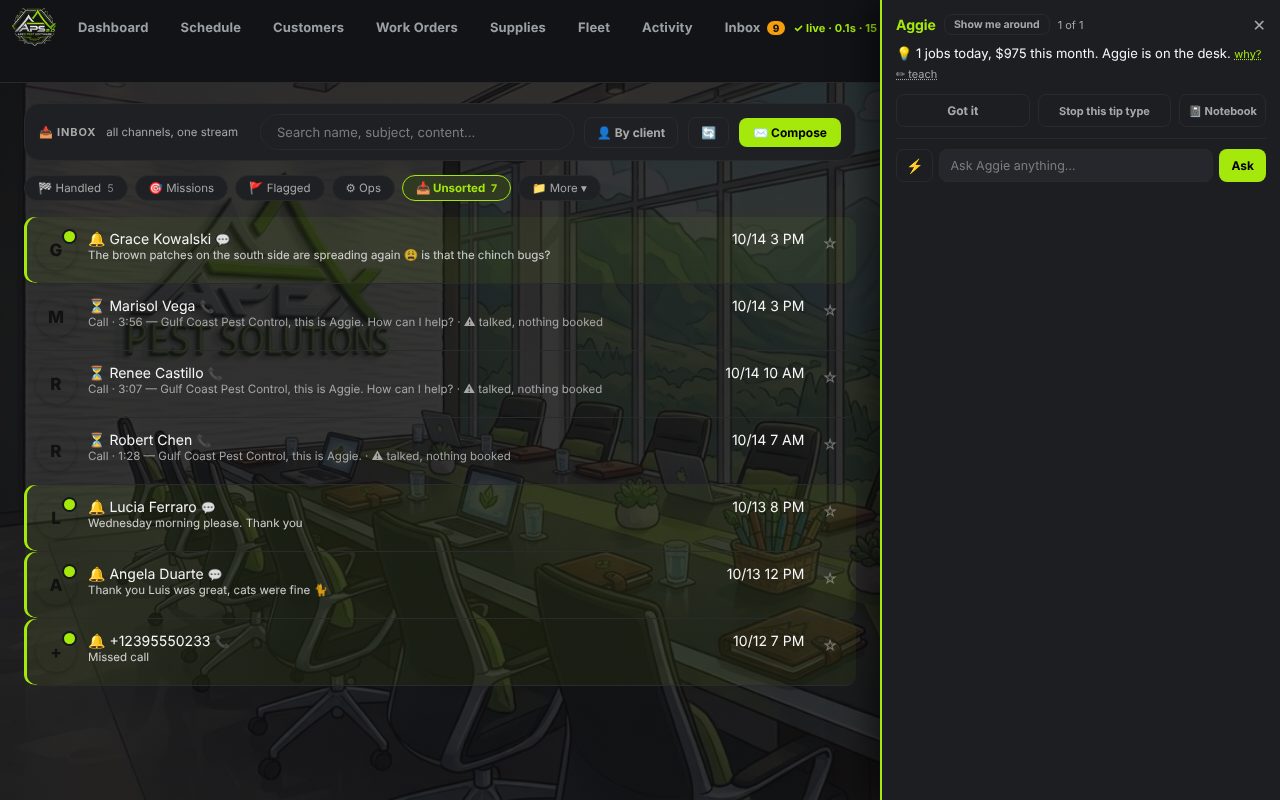
Aggie's panel open beside the inbox, answering a question about today's jobs
Aggie

Ask her anything. She answers from your real numbers.

The orange bubble on every screen is Aggie. "How many jobs today?" "Who owes us money?" "What's booked in Naples this week?" — she reads the schedule, the customer book and the ledger and answers in a sentence, with names.

  • Her own notes — she scans the day (weather vs. spray jobs, unconfirmed work, unpaid invoices, a customer who texted) and says the one thing worth saying, in her words, not a canned tip.
  • Show me around — on any screen she'll walk a new user through what they're looking at.
  • The Canon — she quotes only your prices, your hours, your service area, your rules. Your words, written once at setup. If it isn't in the Canon, she takes a message and the owner calls back.
  • Watch mode first — she starts by showing you what she would have said. You turn the dial up when you trust her.
The phone and the texts

Your own local number. Calls ring you with a whisper of who it is; when you turn her up, Aggie takes the call herself.

☎

She picks up on the first ring

New caller or old customer — she knows which, greets them by name, answers the question, quotes from your price list, and books a day and a window. Calls may be recorded; the transcript lands in the inbox.

↪

Transfer on request

"Can I talk to the owner?" — she bridges the call to your cell with a whisper first, so you know who's on the line before you say hello. If you don't pick up, she takes the message.

✉

Texts back

Confirmations ("reply C to confirm"), reminders, "we're 20 minutes out", reschedules, and replies to whatever they text. Quiet hours respected. Opt-out honored.

☏

Missions — calls you send her on

Pick a customer, tell her what to say ("ask if Thursday morning still works"), read the script, hit Launch. She makes the call, reports what happened, and books it if they said yes.

✆

Voicemail that isn't a black hole

Missed calls get a transcript, a callback obligation on your list, and a text to the caller so nobody waits on hold.

#

Your number, in a minute

Type your area code on the setup page and you have a local line: calls ring your cell from the first minute with a whisper of who it is. No carrier call, no console, no one from us on the phone.

📨

Carrier registration, filed for you

US carriers require every business that texts to register (A2P 10DLC). You fill in one form — legal name, EIN, address, a sample text — and the software files it with the carriers, tells you where it stands, and opens texting the day it clears. If the carriers want a fix, you see the exact field they named.

⏱

Straight about time

"Where's my tech?" gets the truth: the window against the clock — "the morning window ended an hour ago, we're late, let me get the owner on the ETA" — never "still within the window" after it closed. And if you move a job that a customer was already told about, she texts them the new day and window and asks them to confirm it.

✓

Never promises what it didn't do

If she says "you're on for Tuesday," the job exists on the calendar. If it couldn't be booked, she says so and flags it for you. Every promise is checked against the book — the Ghost Hunt finds any that slipped.

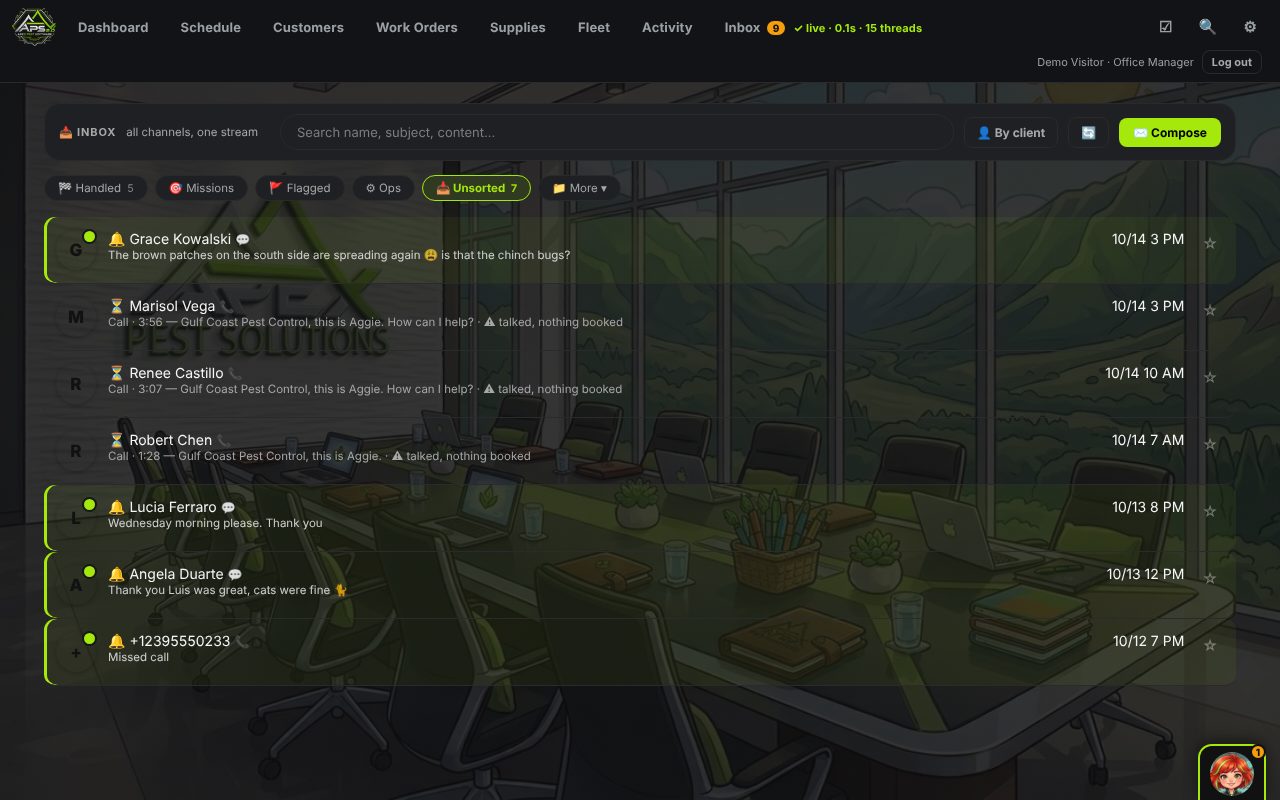
The inbox: calls, texts and e-mails in one stream, sorted into lanes
Inbox

Every call, text and e-mail. One stream, by customer.

Calls (with transcripts), texts, voicemails and e-mail land in one place, grouped by the person. Threads are offset like a phone — them on the left, you on the right.

  • Lanes — 🔔 needs you · ✅ handled · 🎯 missions · 🚩 flagged · ⚙ ops. Machine mail files itself; what's left is humans.
  • Reply as the office — one box, one Send, from the company mailbox or number. She drafts; you send.
  • ✍️ Draft — ask her to write the reply (text, e-mail, or a call mission). It lands in the reply box for you to edit. Nothing goes out until you press Send.
  • File to… — a message becomes a lead, a job, a note on the customer, in one click.
  • Blocked numbers, spam — one tap, gone for good.
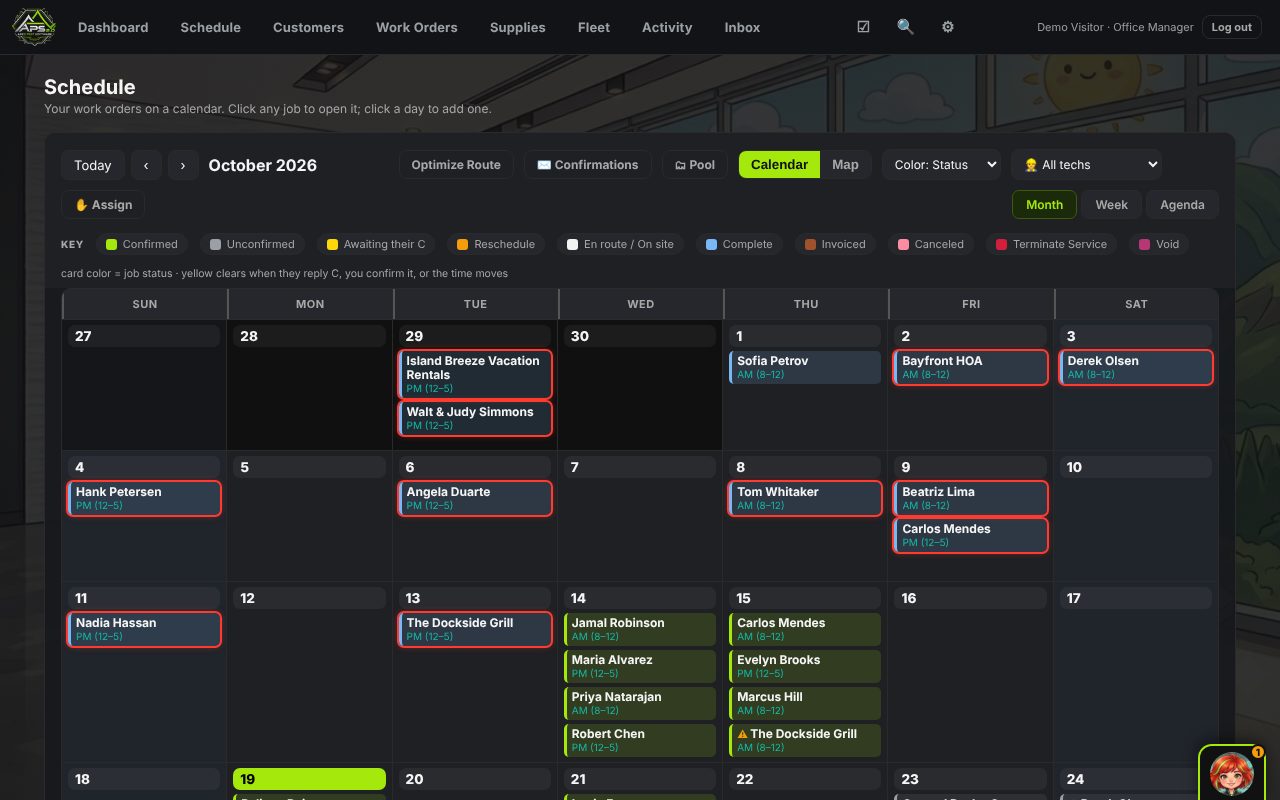
The schedule: a month calendar with color-coded jobs and the key
Schedule

Day and window. Never a clock time you'll miss.

Jobs are booked as a day plus a morning or afternoon window, up to your cap per window per tech. Month, week and agenda views; drag to move; every card colored by status with the key right above it.

  • Confirmations — one button texts everyone on the board; replies of "C" flip the card green. Cards waiting on a reply go yellow.
  • Optimize route — real road drive times from the Distance Matrix, clustered by town, re-ordered for the truck.
  • Pool & Assign — unassigned work in a pool; drag it onto a tech, or let the nightly sweep fill blanks by rules and continuity.
  • Map — the week on a map, by tech color.
  • Weather — she reads the hourly forecast against each spray job's label wind cap and rain rule, and tells you before you load the truck.
  • The red ring — a job that's done, not invoiced, with money owed. It's in the key.
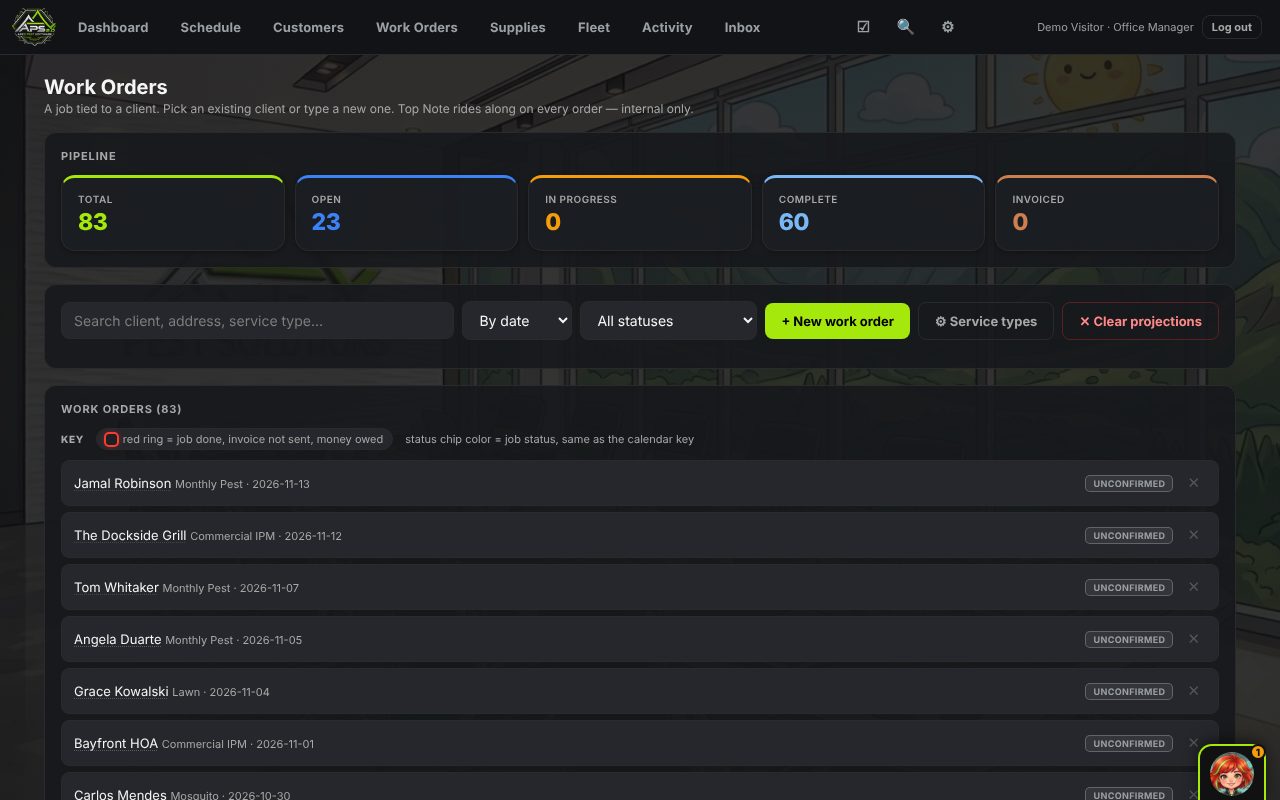
Work orders: the pipeline and the list with its key
Work orders

The job, the chemical record, the invoice — one card.

Every job is a work order tied to a customer: service type, price, window, tech, notes that ride along, line items, photos, and the pesticide application record.

  • Pipeline — total, open, in progress, complete, invoiced, at a glance; filter by status or by unpaid age (0–30, 31–60, 61–90, 90+).
  • Pesticide record — product, EPA number, rate, target pest, site, applicator, weather at clock-in. Written on the job, the way the state wants it.
  • Invoice & pay — send by e-mail or text, take the card through Square, watch the balance clear.
  • Service note to the customer — what was done, in plain words, with the company's name on it.
  • History — every change to a job is logged: who, when, from what to what.
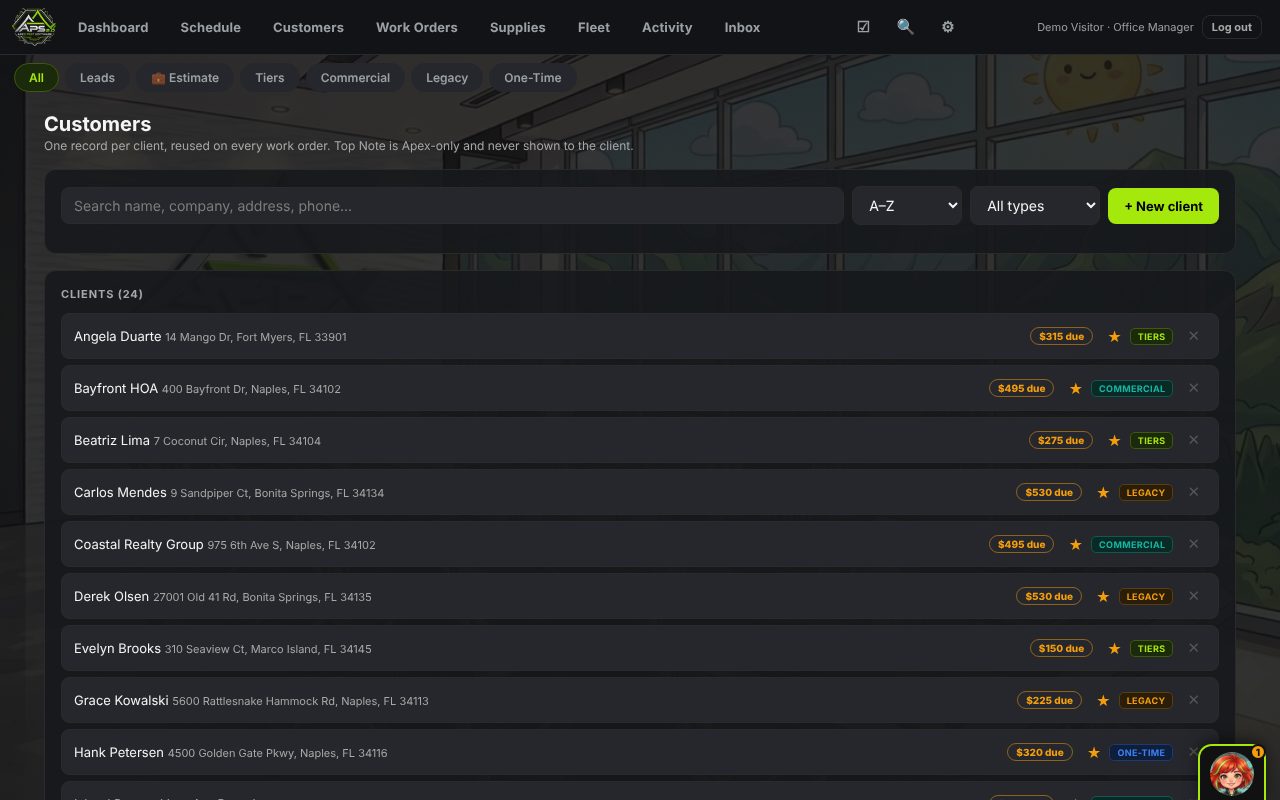
Customers: the client book with plans and balances
Customers

One record per customer. Everything hangs off it.

Calls, texts, e-mails, jobs, chemicals, invoices, payments — one file per person or business. Search by name, phone digits or address.

  • Plans — monthly tiers with an onboarding checklist, flat-rate legacy contracts, commercial accounts with their own cadence and IPM notes, one-time jobs.
  • Leads — callers and inquiries who aren't customers yet, with a stage (New → Contacted → Quoted → Won). Win one and it becomes a client record.
  • Top Note — the internal note that rides on every work order and never shows to the customer.
  • Bring your old data — customers and jobs from GorillaDesk, Jobber, PestPac, FieldRoutes, Briostack or ServiceTitan. Re-running is safe; nothing doubles.
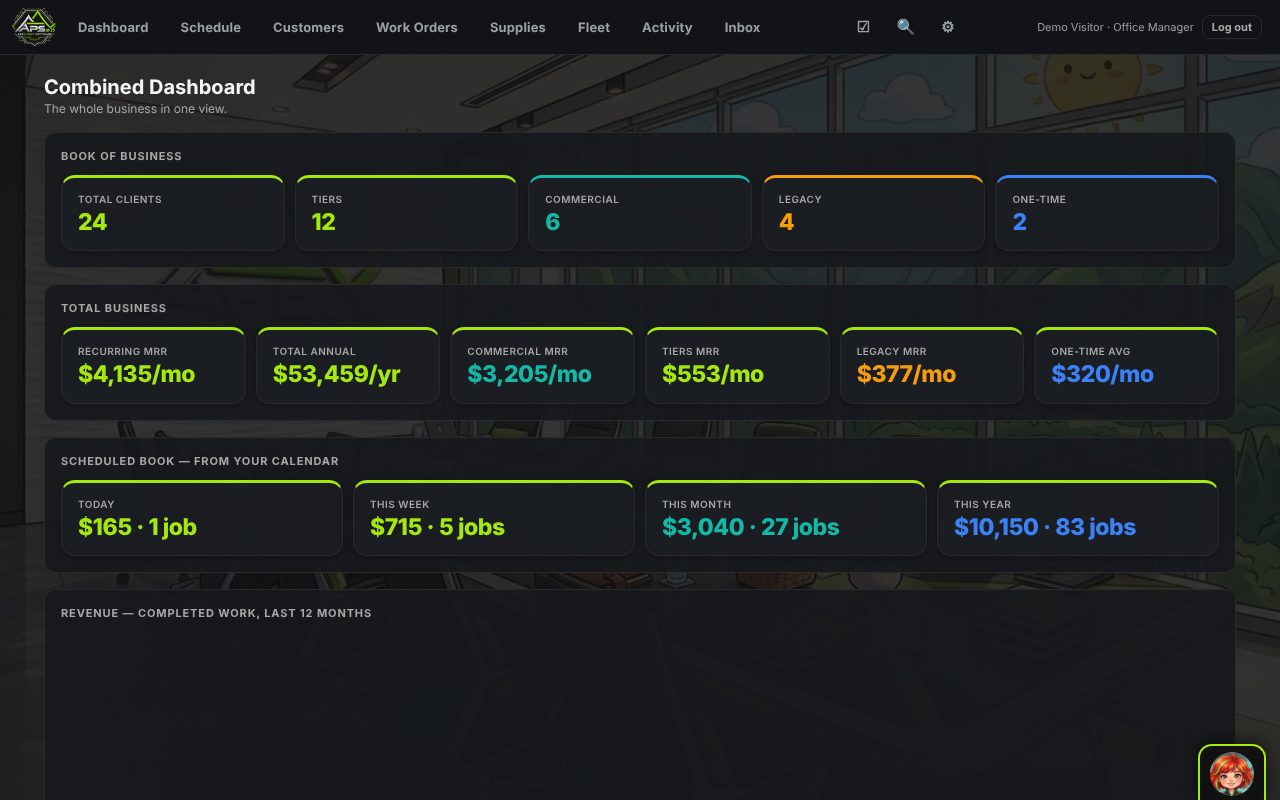
The combined dashboard: book of business, recurring revenue, scheduled book
Dashboard

The whole business in one view.

  • Book of business — clients by kind: tiers, commercial, legacy, one-time.
  • Recurring revenue — monthly and annual, by plan type.
  • Scheduled book — today, this week, this month, this year: dollars and jobs, straight from the calendar.
  • Revenue chart — completed work, last 12 months.
  • Unpaid aging — the same buckets the work-order filter uses, so the numbers always agree.
  • The Boardroom — ask the business questions in plain English and get charts back from the real numbers.
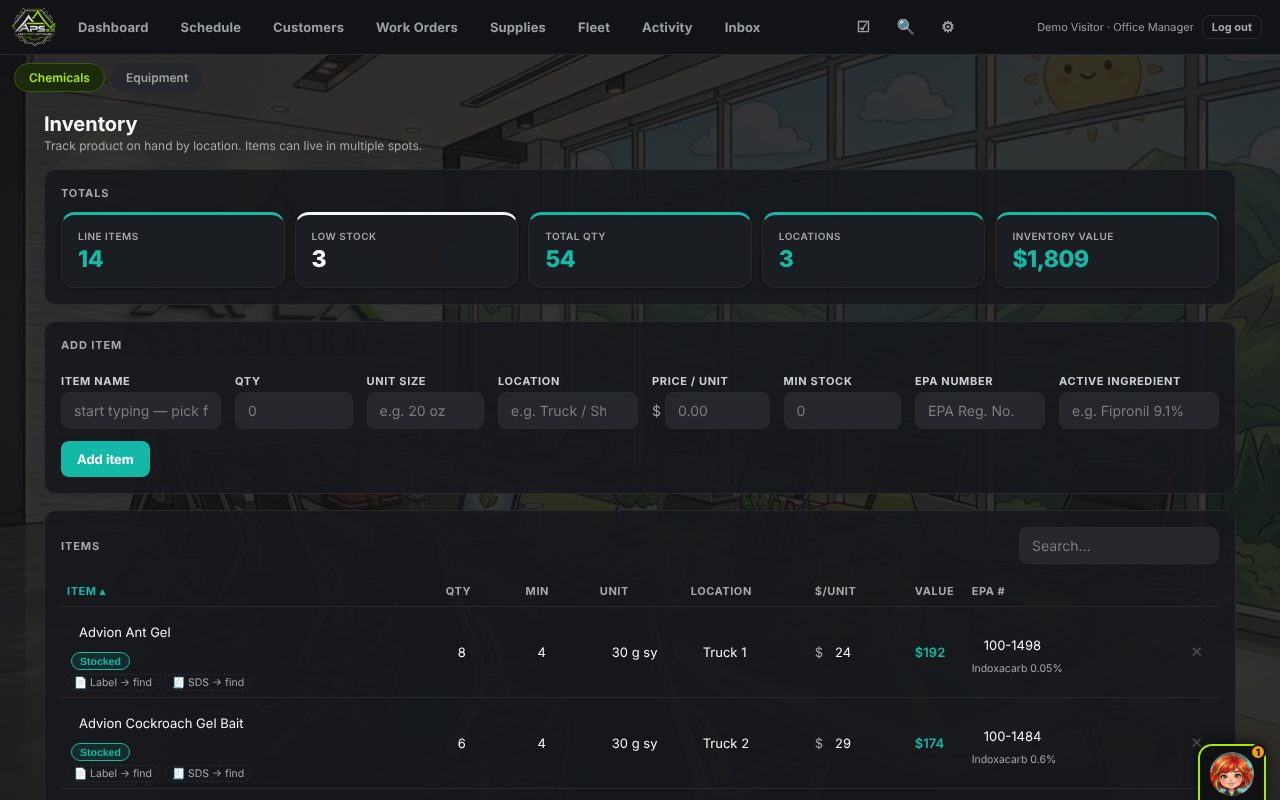
Supplies: inventory by location with EPA numbers and label links
Supplies & labels

Product on hand, by truck. Labels from the EPA.

  • Inventory by location — the same product on two trucks and the shop; low-stock flags; value on hand.
  • EPA registration — type a product name and the EPA number, active ingredient, label PDF and SDS are looked up from EPA's own registry.
  • Label rules she enforces — wind caps, rain rules and mix rates for your products, verified against the current label and re-checked monthly on their own. The weather tips on the schedule come from here.
  • Equipment — sprayers, backpacks, foggers, by location, with service logs.
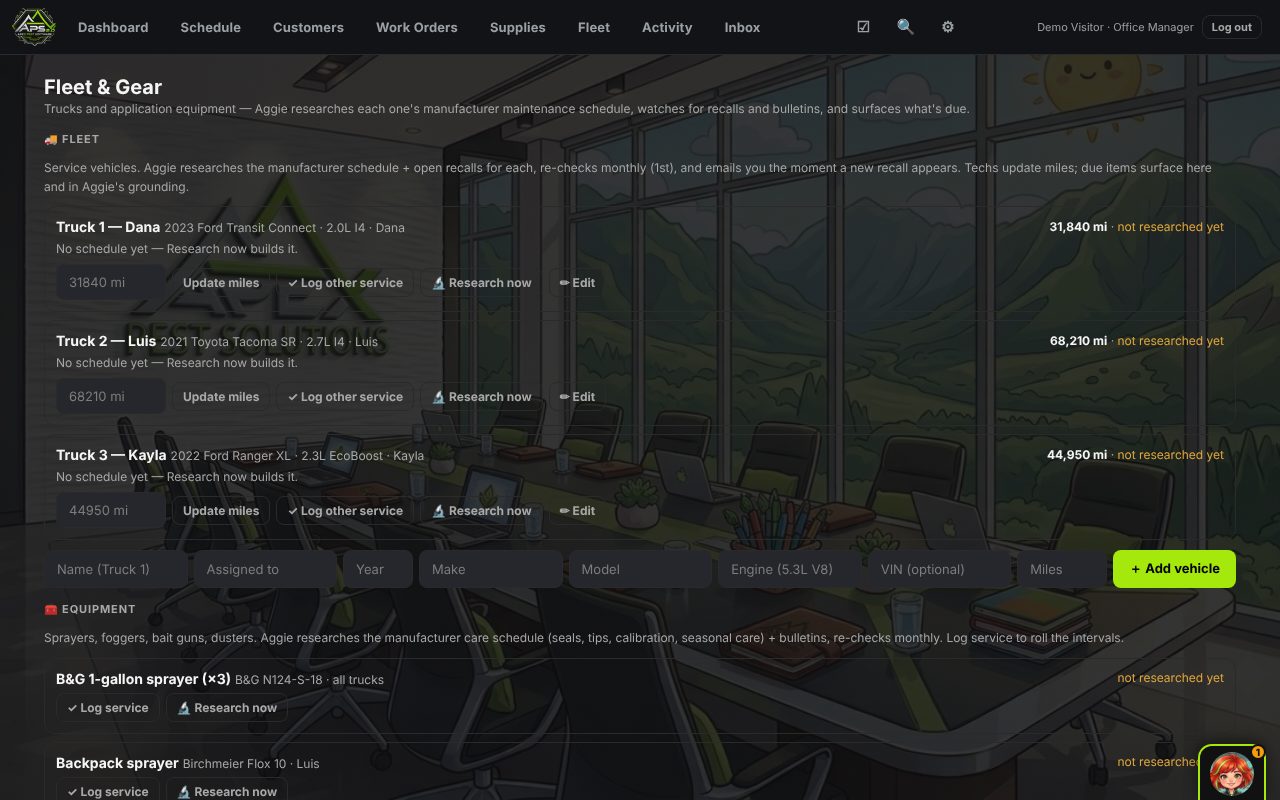
Fleet: trucks with mileage and what's due
Fleet

Trucks and gear — and what's due on each.

  • Every vehicle — year, make, model, plate, mileage, who drives it.
  • She researches the maintenance schedule — the manufacturer's intervals for that truck, recalls and bulletins, and surfaces what's due by the miles you log.
  • Service log — oil, tires, brakes, inspections; receipts attached.
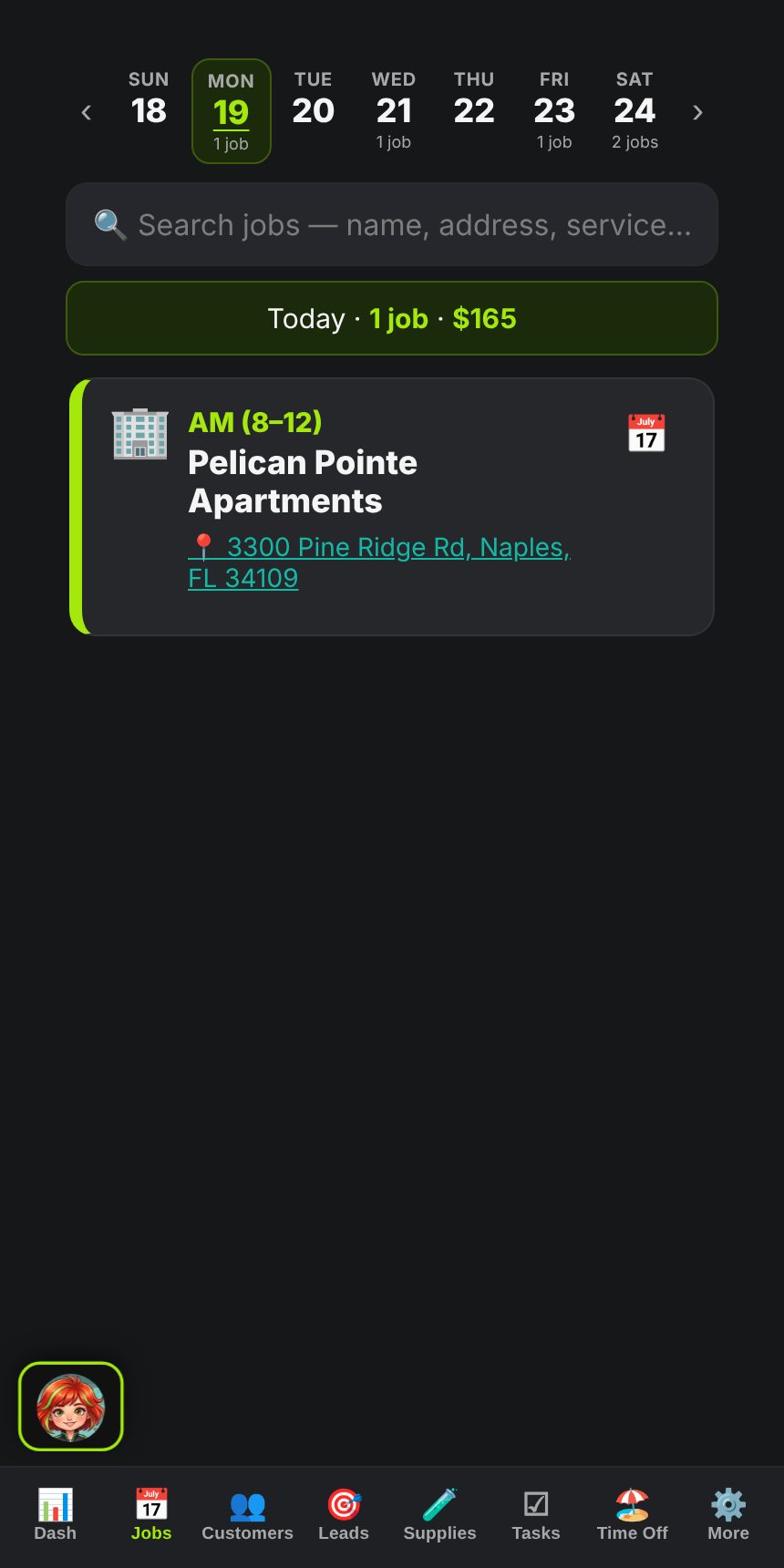
The phone view: today's jobs, one card at a time
In the truck

On the phone, it's a different app.

A tech signs in on their phone and lands on today — their jobs, in route order, one card at a time. Add it to the home screen and it opens like an app.

  • Clock in, do the job, clock out — with the weather stamped at clock-in for the pesticide record.
  • The field interview — she asks what was found, what was applied, where; fills the record; writes the service note.
  • Photos on the job. Navigate in one tap. "On my way" texts the customer.
  • Techs see their route — not the money, not the other trucks, not settings. Roles are built in: Tech, Lead Tech, Sales, Office Manager, Owner.
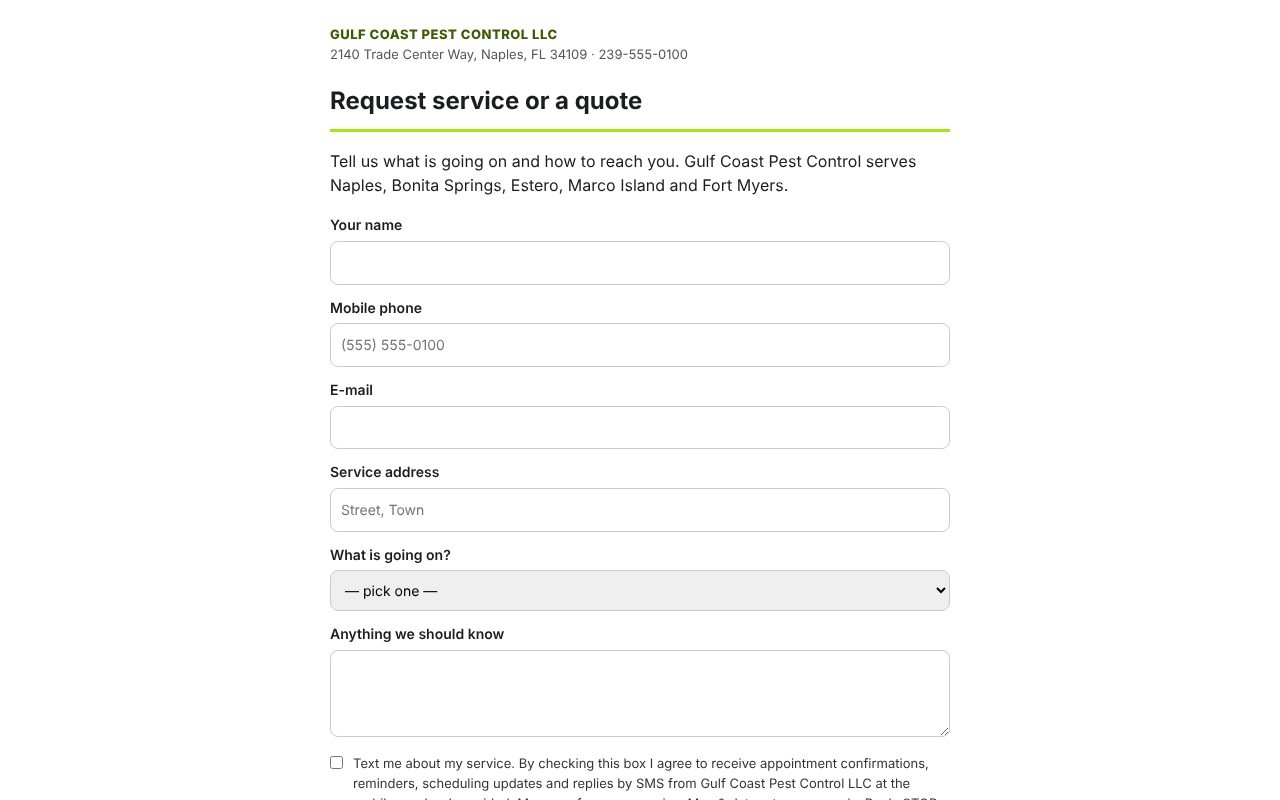
The public booking page in the company's name
Your booking page

A public page in your name. Requests become leads.

Every company gets its own booking page — put the link on your website, your Google listing, your truck. A request becomes a lead in the inbox with the consent record the carriers ask for.

  • Your services in the dropdown, your service area in the copy, your number in the header.
  • Text consent done right — unchecked box, full disclosure, logged with time, number and what they saw.
  • Spam-proof — honeypot and rate limits; nothing to configure.
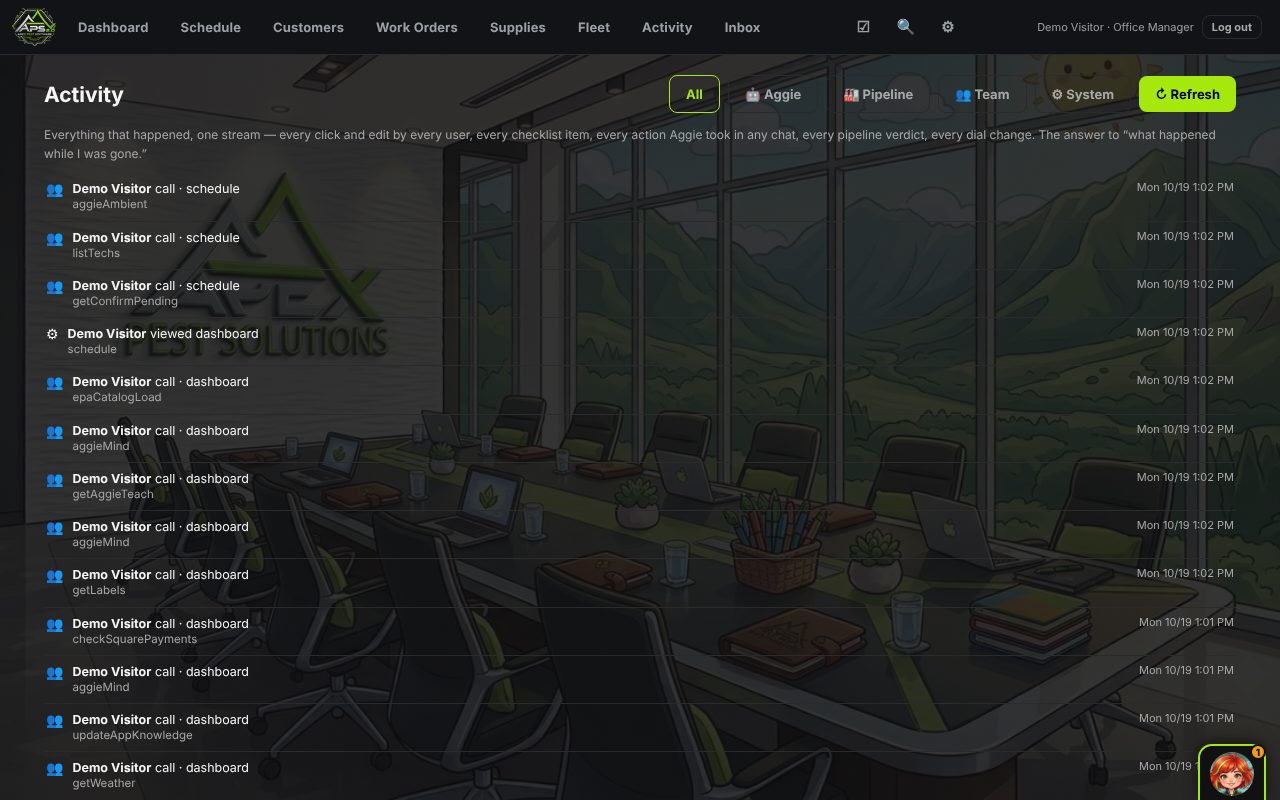
Activity: every action in the office, who and when
Activity

Who did what, when — including her.

  • Every action — logins, edits, sends, bookings, by person, by time, with the change.
  • Why did my phone ring? — every call that reached your cell says which path sent it there.
  • The mission log — every call you sent her on and how it went.
  • Filter by person, kind, or day.
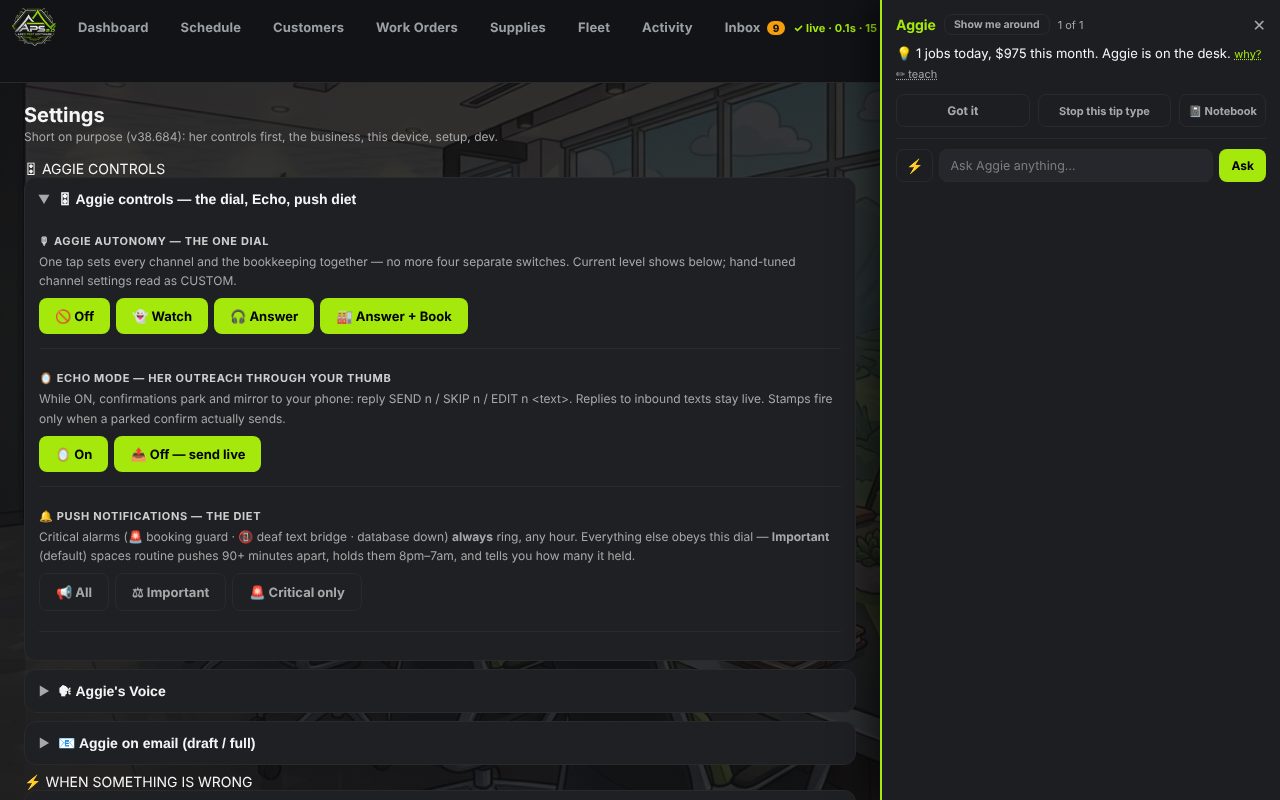
Settings: Aggie's dial — off, watch, answer, book
Settings

One dial for her. The rest is your business.

  • The dial — Off · Watch · Answer · Book. Separate switches for the phone, texts, e-mail (draft or full). Turn her up one lane at a time.
  • Her voice — pick it, audition it with a test call to yourself.
  • The Clinic — every lane's health on one screen: the number, texting registration, e-mail, the brain, the last error, what to do about it.
  • Users & access — add a tech in ten seconds; roles decide what each person sees.
  • Bank — connect through Plaid; transactions categorized, expenses by month, Square payouts reconciled.
  • Staffing & expenses — what the business costs to run, next to what it makes.
  • Sale P&L — a buyer-ready profit & loss from your bank feed: trailing twelve months beside the prior twelve, revenue by source, cost of sales, operating expenses by category, seller's discretionary earnings with your named add-backs, recurring revenue and the customer book. Prints clean; downloads as PDF. For the day you decide to sell.
  • Your bill — a card on file (Square's form; the number never touches our server), this month's fee so far, every past invoice. 3.5% of what the app collected last month, charged on the 1st, nothing else.
  • Rotate keys — every provider key the office holds (Anthropic, Twilio, Square, Plaid, maps, the phone gateway) is swapped from one page: paste the new one, it is checked against the provider and live in a second. The day a vendor has an incident, you are done in five minutes.

The whole list

Everything on the screens above, in one place.

Start your 14-day free trialTry the demo